Film scheduling software
built for 1st ADs & production managers
Import your screenplay, set target shoot days, and let SetShaper's smart optimizer balance scenes, route around actor availability, and calculate travel distances.
Product overview video
Five or six tools.
Or one that stays in sync.
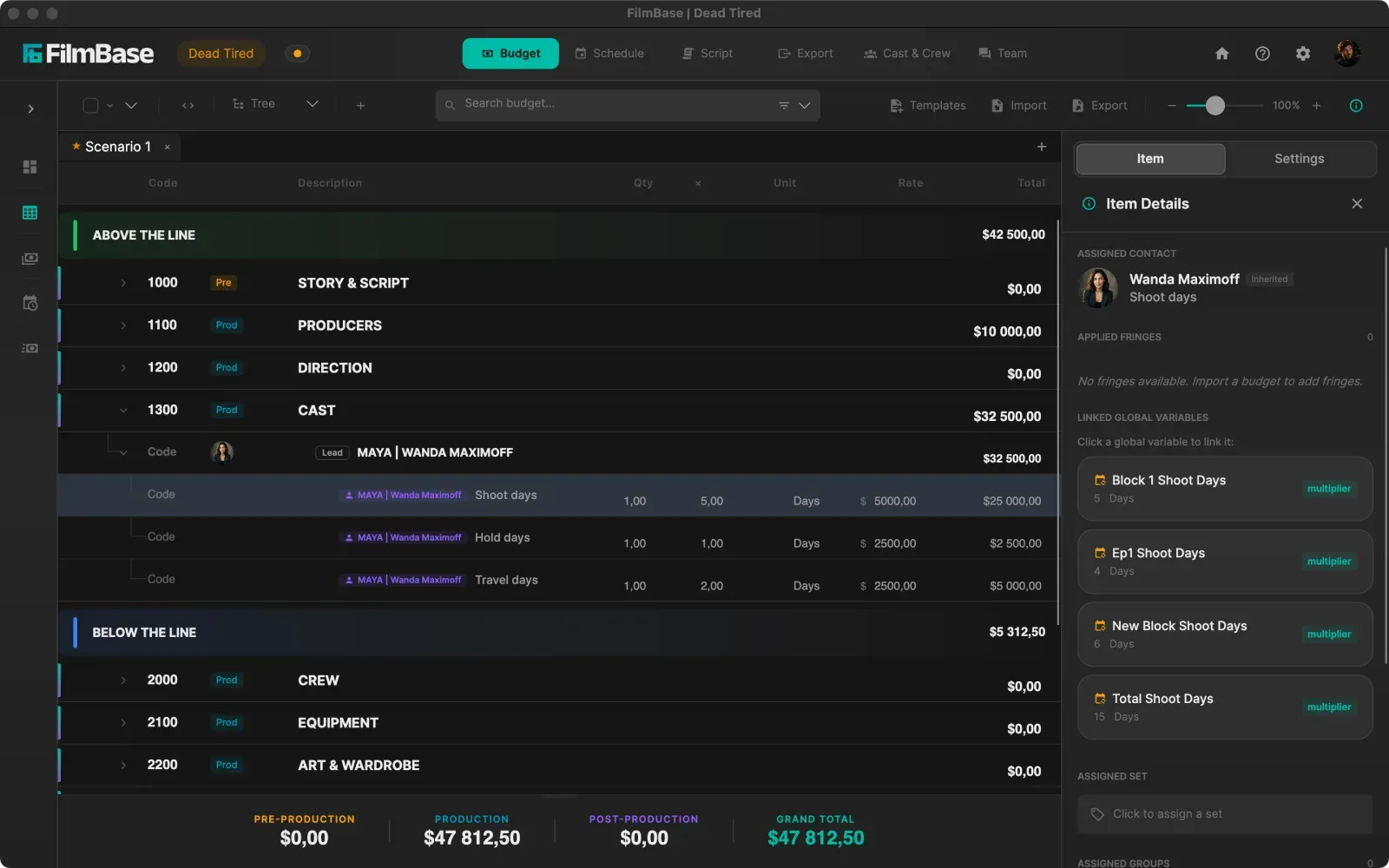
Instead of spending days manually dragging scene strips across a board, SetShaper holds twenty-four production rules at once while laying your script across your shoot days. It groups location scenes, respects actor blackout dates, and connects straight to your budget.
See every featureThe problems SetShaper solves for scheduling
Scheduling a film means solving a complex multi-variable puzzle. SetShaper automates the heavy lifting while keeping you in full control.
Hours Spent Dragging Strips Manually
Building a shoot schedule by hand takes hours of trial and error. Balancing page counts, grouping location scenes, and respecting day/night rules manually leads to scheduling bottlenecks.
15-Second Automated Schedule Optimizer
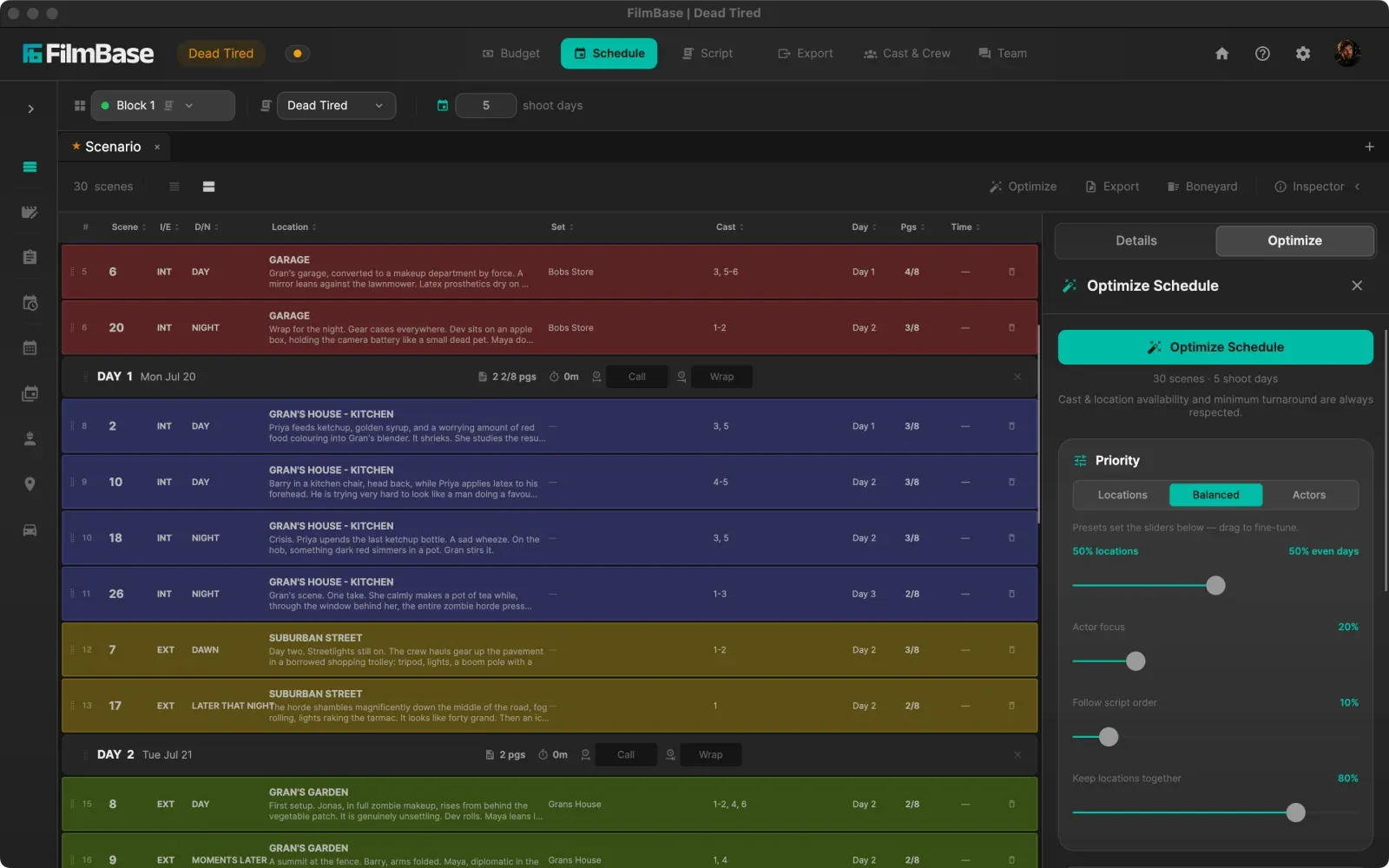
SetShaper evaluates 24 production rules simultaneously in 15 seconds. It groups location scenes, keeps day/night shoots separate, balances page counts, and lets you undo back to your previous board in one click.
Actor Availability Conflicts & Turnaround Penalties
Overlooking an actor's blackout dates or booking windows results in last-minute scene drops, expensive cast holding fees, and overtime penalties on set.
Smart Conflict Routing & DOOD Tracking
SetShaper automatically routes scenes around actor blackout dates and location booking windows. Day out of Days (DOOD) charts update in real time to show Work, Hold, and Travel days.
Unplanned Travel Distances & Lost Shoot Time
Estimating company moves by memory often causes crew to get stuck in traffic between locations, burning precious shooting hours.
GPS Map Coordinates & Driving Route Optimization
Drop Google Maps coordinates onto your production locations. SetShaper calculates actual driving distances between pins and rebalances the stripboard to minimize company moves across shoot days.
See the board itself
Colour-coded strips laid across your shoot days.
Built for 1st ADs and production managers
Interactive Color-Coded Stripboards
Convert Final Draft screenplays automatically into 1st AD stripboards. Organize day/night, interior/exterior, page eighths, and cast rosters with drag-and-drop ease.
15-Second Schedule Optimizer
Run SetShaper's local solver algorithm to group location scenes, separate day and night shoots, and route around actor blackout dates in seconds.
GPS Maps & Travel Route Planning
Attach Google Maps coordinates to production addresses. SetShaper calculates driving times between locations to minimize company moves across shoot days.
Day Out of Days (DOOD) Reports
Generate automatic Day out of Days charts tracking Work (W), Hold (H), Travel (T), and Drop (D) days for every actor and department asset.
Shoot & Production Calendar Views
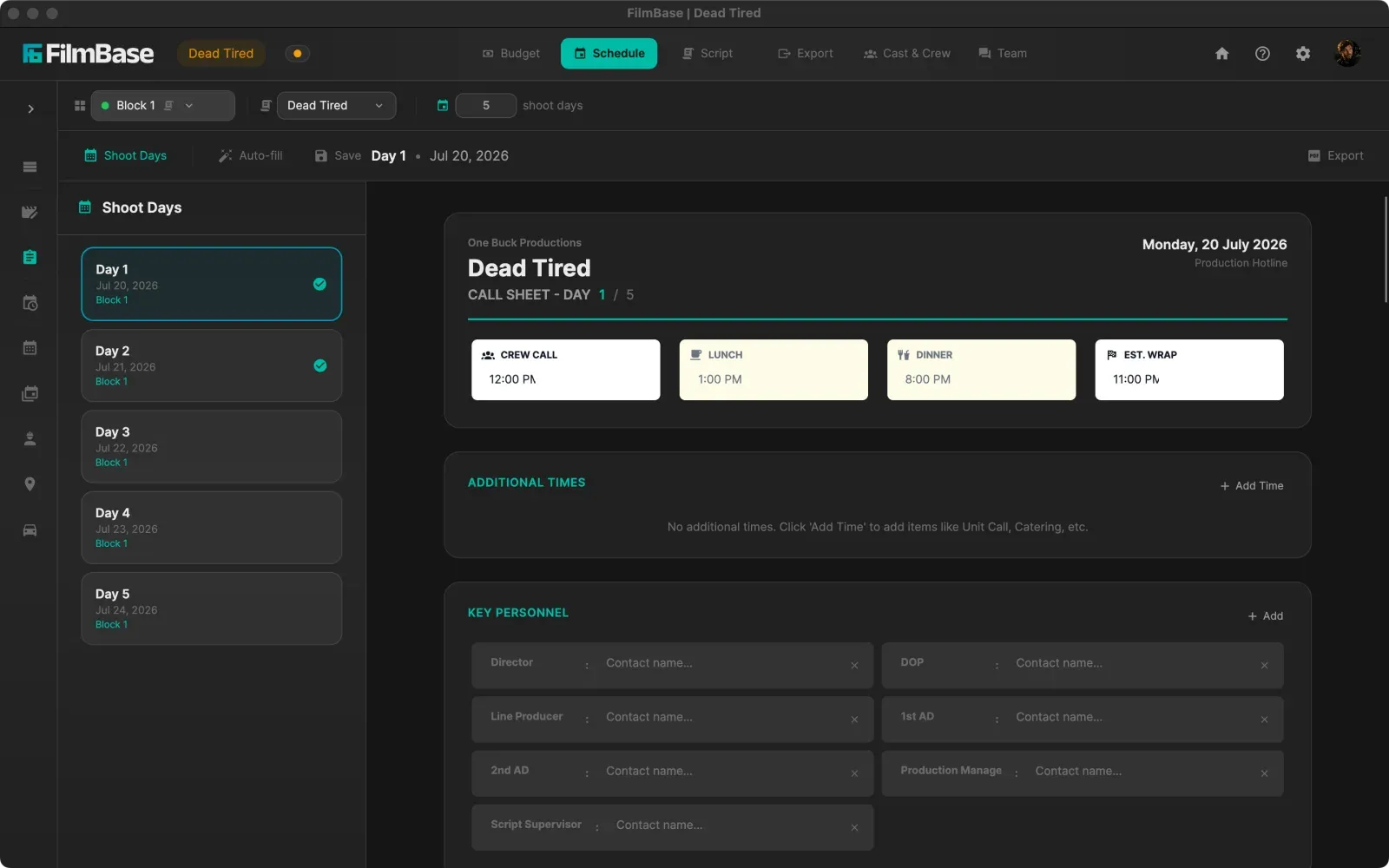
View your locked schedule on a month or week calendar, or switch to a Gantt-style timeline for prep, shooting blocks, and post-production.
Pickup & Boneyard Management
Mark completed shots, set up pickups for reshoots, and park cut scenes safely in the boneyard without losing breakdown metadata.
Common questions
How does the schedule optimizer actually work?
You set the number of shoot days and pick your dates, then the optimizer lays the script across them while holding your scheduling rules at once: grouping scenes by location, keeping day and night work apart, respecting minimum turnaround, and capping pages or locations per day. You choose how long it may search, from a quick pass up to a deeper one for tightly constrained boards, and any result can be undone in a click.
Will it schedule around actor availability?
Yes. Cast availability and location booking windows are always respected, not treated as a preference you can accidentally switch off. Mark an actor unavailable on given dates and scenes route to days when they can work. You can also name priority cast so the optimizer compresses the shoot days of expensive or hard-to-book performers first.
Can it plan travel between locations?
Yes, once your locations carry map pins. Paste a Google Maps link onto a location and SetShaper reads the coordinates from it, then it can group locations that are physically close, order your days so the company travels in one direction instead of criss-crossing, and pin the most remote location to a chosen day.
Can I still move strips by hand?
Always. The optimizer produces a starting point, not a locked answer. Drag any strip between days and the surrounding strips shift while page and time totals for both affected days update immediately. You can also lock strips you have already committed to so the optimizer works around them.
What script formats can I import?
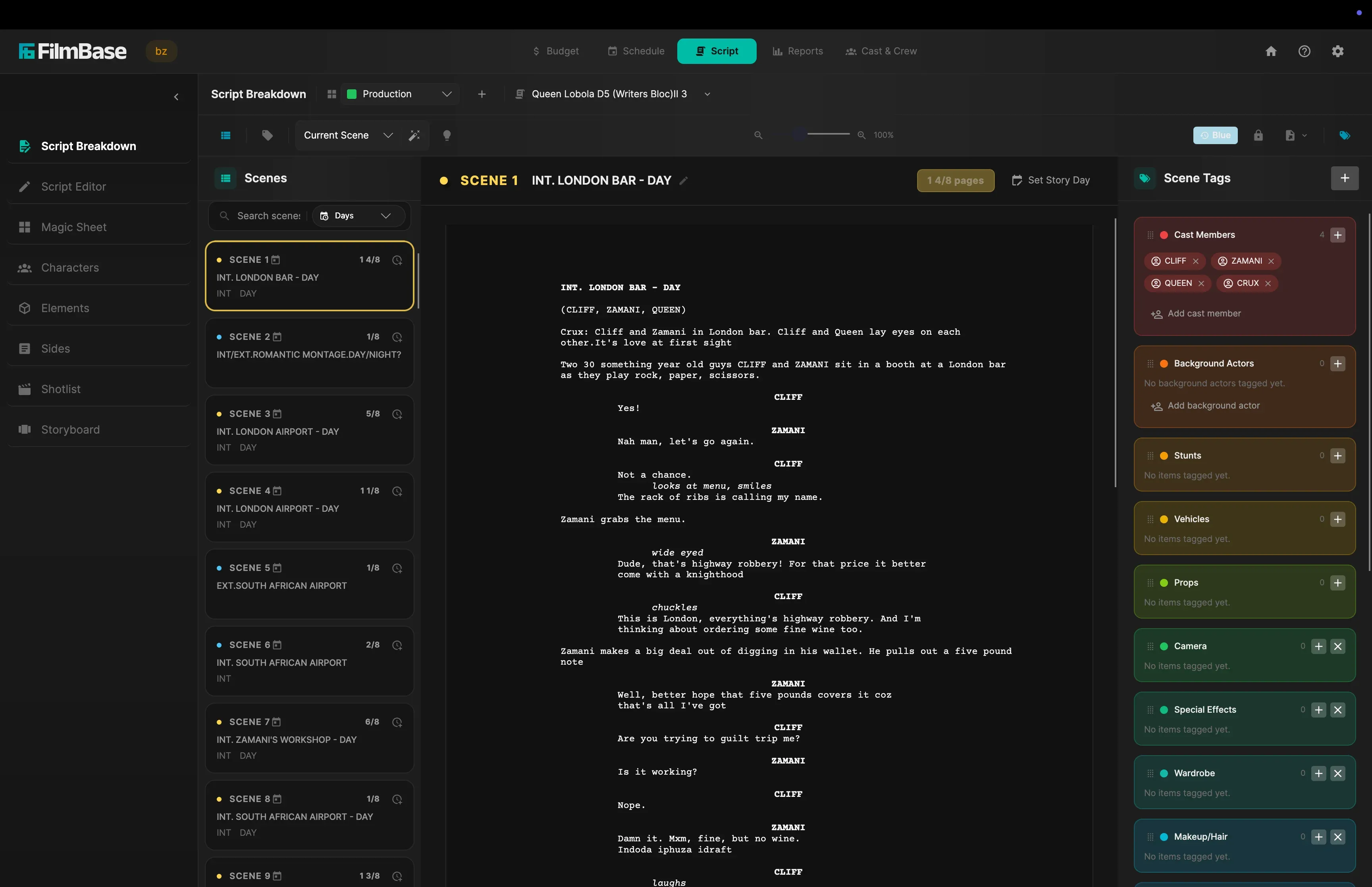
Final Draft (.fdx) files import natively, along with PDF and plain text. SetShaper reads scene numbers, headings, interior and exterior tags, day and night designations, page eighths, and the cast in every scene, so the board is populated the moment the import finishes.
How much does SetShaper cost?
SetShaper is $49 a month or $449 a year, with a 7-day free trial, and every feature is included in both plans with no tiers or add-ons. It is sold through the Mac App Store and the Microsoft Store, so billing and cancellation are handled by your Apple Account or Microsoft account.
Schedule your shoot with SetShaper
Available for macOS and Windows. 7 days free trial.