Film budgeting software
built for producers & production teams
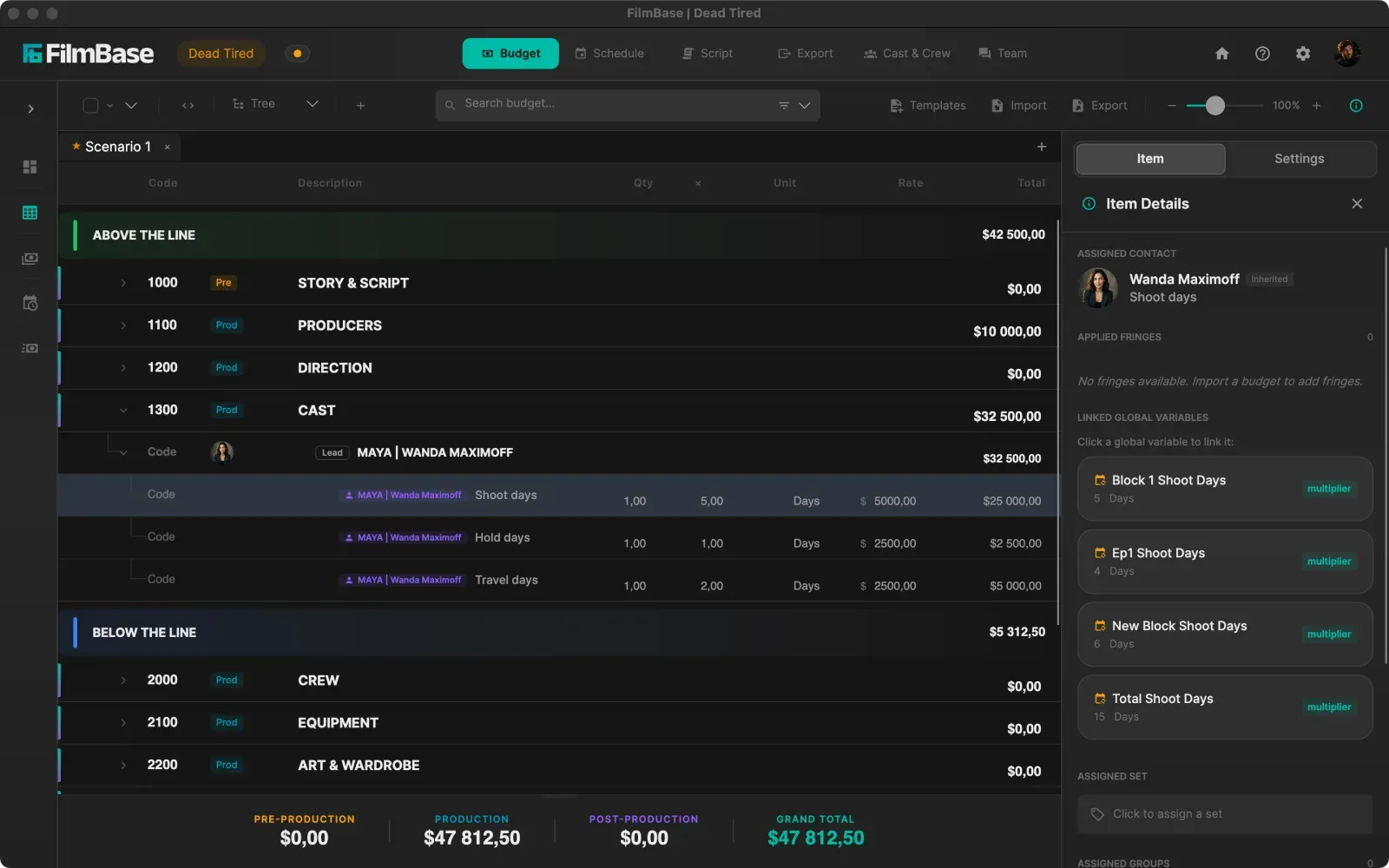
Work in a unified Tree View or traditional drill-down. Import Movie Magic budgets, write spreadsheet formula rows, track actuals against estimates, and watch line items update live whenever your schedule moves.
Product overview video
Five or six tools.
Or one that stays in sync.
Most film productions piece together separate spreadsheets for budgeting, scheduling, and actuals. SetShaper keeps your budget linked directly to your shooting schedule. Import your cast, crew rates, and equipment elements, and watch line totals recalculate automatically whenever shoot days change.
See every featureThe problems SetShaper solves for budgeting
Traditional budgeting tools keep your estimates trapped in isolated files. SetShaper connects your numbers to real production data.
Disconnected Spreadsheets & Manual DOOD Counting
Traditional film budgeting software forces you to retype numbers into separate spreadsheets whenever the schedule changes. Counting work and hold days off paper DOOD charts leads to costly payroll errors.
Live Schedule-to-Budget Sync
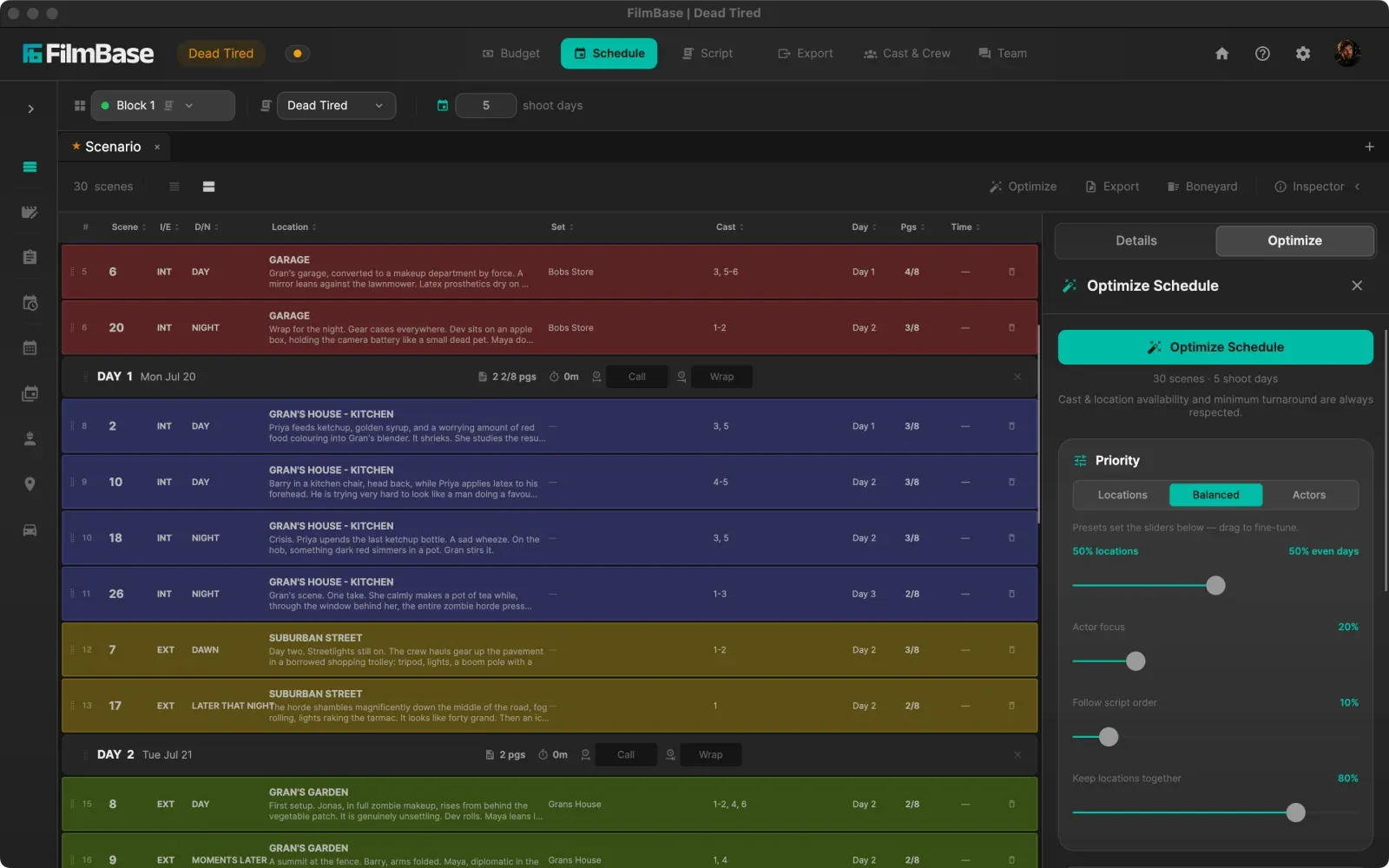
SetShaper links cast, crew, and equipment directly to your shooting schedule. When the 1st AD moves a shoot day, work days, hold days, and line item totals update automatically across your budget.
Clunky Account Drill-Downs
Older budgeting software forces you to navigate back and forth through nested sub-account windows just to edit a single daily rate or check a crew category total.
Unified Tree View & Instant Search
SetShaper gives you both traditional drill-down view and an all-in-one Tree View. Expand your entire budget structure at once, search any line item instantly, and edit rates in place across accounts.
Surprise Budget Overruns During Production
Tracking actual spend in separate logbooks means line producers don't discover budget overruns until wrap, when it's too late to reallocate funds.
Actuals, Proof of Payment & Variance Tracking
Log expenses against budget line items during production. Attach receipt photos and proof of payment, track remaining variance per line, and view upcoming drawdowns on a visual payment schedule calendar.
See the budget itself
Accounts, rates, and totals that move with the schedule.
Complete budgeting features for film & TV
Tree View & Traditional Drill-Down View
Switch between traditional Movie Magic account-by-account drill-down and SetShaper's unified Tree View. Expand your entire budget at once, search any line item, and edit rates in place.
Live Schedule Sync for Cast & Crew
Import cast and crew directly from your contact cards and schedule. Work, hold, travel, prep, and wrap days pull straight from the Day out of Days. Move a shoot day and line items update automatically.
Spreadsheet Formula Rows
Write formulas using familiar spreadsheet syntax. Start a line with an equals sign and reference other line items or category totals by name with autocomplete as you type.
Template Library & Movie Magic Import
Start from built-in short film, feature, and commercial templates, or import existing budget files directly from Movie Magic Budgeting (.xml) and Excel.
Actuals & Real-Time Variance Tracking
Log actual spend against every budget line item during production. Attach receipt images and proof of payment so you always know exactly how much budget remains before line items go over.
Visual Payment Schedule Calendar
Track daily, weekly, and monthly payment commitments on a visual calendar grid. See upcoming payroll dates and vendor drawdowns before they fall due.
Fringes, Globals & Multi-Currency
Set up global variables for shoot days, prep weeks, and wrap days. Apply union fringes with wage caps, and run multi-currency budgets with automatic exchange rate conversion.
Vendor Cost Summary
View total commitments grouped by supplier across all accounts, checking what each vendor is owed without hunting through individual budget categories.
Common questions
Can I import a budget from Movie Magic Budgeting?
Yes. SetShaper imports Movie Magic Budgeting (.xml) files and Excel spreadsheets, so you can move an existing budget across rather than rebuilding it. You can also start from a built-in template for short films, features, commercials, documentaries, music videos, or television.
Does the budget really update when the schedule changes?
Yes, and this is the part most spreadsheet workflows cannot do. Cast and crew lines read their work, hold, travel, prep, and fitting days straight off the Day out of Days, and equipment reads its usage days off the shooting schedule. Move a shoot day on the stripboard and the affected line items update on the spot, with no retyping and nothing to remember.
Can I track what I actually spent against the budget?
Yes. Log expenses against any line item during production, attach receipt images and proof of payment, and watch the remaining variance per line change as you go. A visual payment schedule shows daily, weekly, and monthly commitments so you can see what falls due before it does.
Does it handle union fringes and multiple currencies?
Yes. Fringes apply per line or per group with wage caps, and they can come from each person's rate card so they follow the person rather than being retyped. Budgets can run in multiple currencies with exchange rates, and global variables let one number, such as your shoot day count, drive figures across the whole budget.
Do I need an internet connection to use it?
No. SetShaper is an offline-first desktop app for macOS and Windows. Your project lives in a folder on your own drive, so budgets work on a plane, in a basement location, or anywhere with no signal. A connection is only needed for weather on call sheets and for store licensing checks.
How much does SetShaper cost?
SetShaper is $49 a month or $449 a year, with a 7-day free trial, and every feature is included in both plans with no tiers or add-ons. It is sold through the Mac App Store and the Microsoft Store, so billing and cancellation are handled by your Apple Account or Microsoft account.
Start budgeting your film today
Available on macOS and Windows with offline-first local file privacy.