Script breakdown software
built for department heads & 1st ADs
Tag props, wardrobe, vehicles, and stunts automatically using local on-device AI. Organize breakdown categories and export breakdown sheets for department heads.
Product overview video
Five or six tools.
Or one that stays in sync.
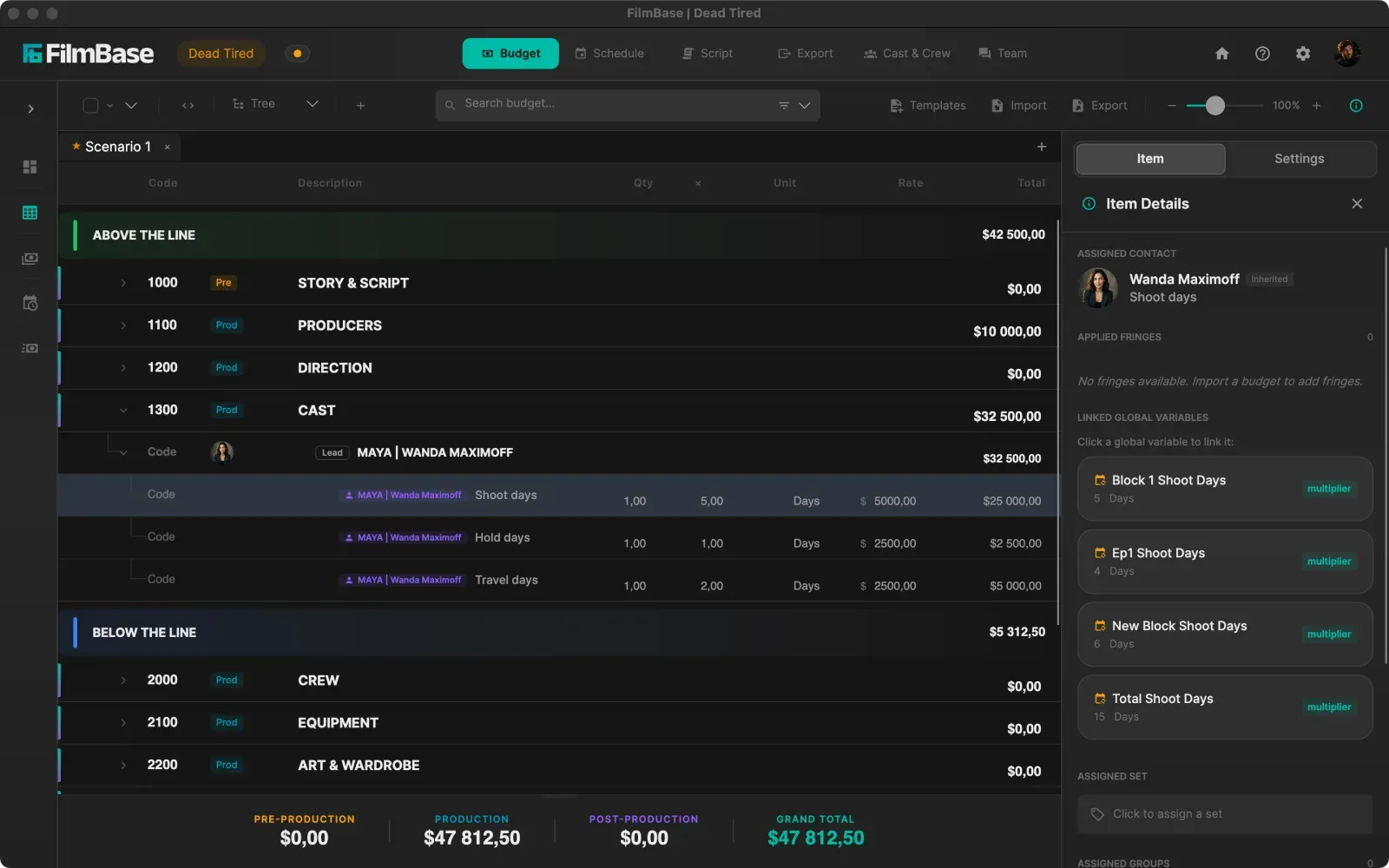
Break down screenplays instantly with local on-device AI tagging. Promote elements directly into your budget, track character props, and automatically build day out of days reports without retyping element lists across separate apps.
See every featureThe problems SetShaper solves for script breakdown
A script breakdown is the foundation of prep. SetShaper automates element tagging while protecting script privacy.
Hours Spent Manually Highlighting & Copy-Pasting
Department heads spend days reading 120-page screenplays line by line, highlighting props and wardrobe items by hand, and retyping lists into spreadsheets.
On-Device AI Auto-Tagging & Sticky Categories
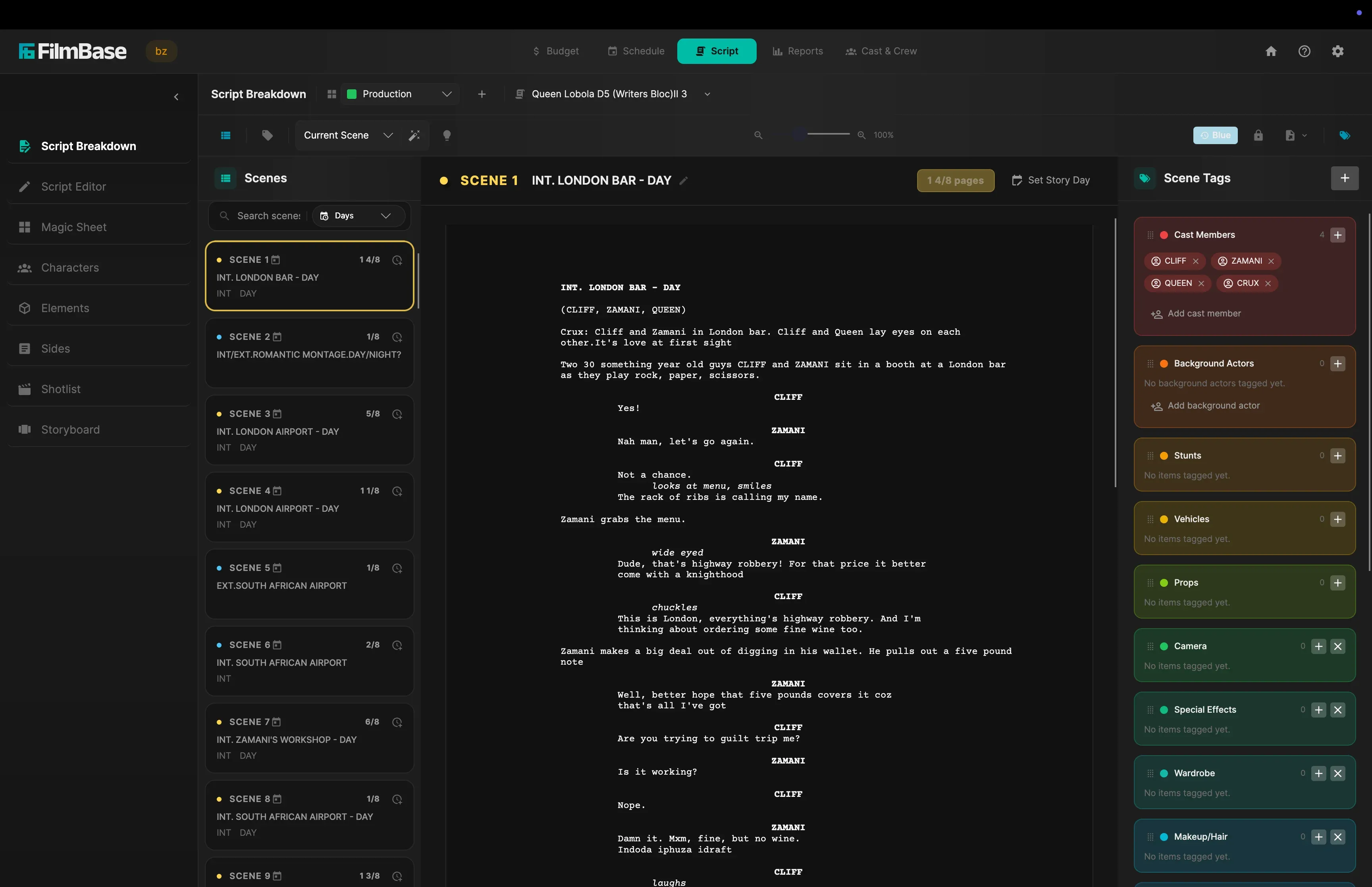
SetShaper's local AI model auto-tags props, wardrobe, vehicles, and stunts in seconds. Sticky Category mode lets department heads lock onto a single category and tag items across pages in one click.
Privacy Risks from Cloud AI Screenplay Uploads
Web-based AI script tools force you to upload unreleased NDA screenplays to third-party cloud servers, risking script leaks and copyright violations.
100% On-Device Local AI Privacy
SetShaper runs its AI engine locally on your Mac or Windows computer. Your screenplay file never leaves your local hard drive, giving you total privacy for NDA-protected scripts.
Breakdown Data Trapped in Separate Documents
Traditional breakdown notes sit in static PDFs or isolated word documents, forcing line producers to manually count assets and retype rental rates into budgets.
Direct Tag-to-Budget Element Promotion
Right-click any breakdown tag to promote it into a production element asset. Rental rates, supplier contacts, and exact shoot day counts flow straight into your budget accounts.
See the breakdown itself
Tagged elements grouped by department, straight from the page.
Script breakdown built for film department heads
On-Device AI Auto-Tagging
Run SetShaper's local AI model directly on your computer without uploading screenplay files to cloud servers. Auto-tag props, wardrobe, vehicles, and stunts.
Sticky Category Manual Tagging
Lock manual tagging mode to a single department category like Props or Wardrobe. Highlight words across screenplay text to tag elements in one click.
Promote Breakdown Tags to Elements
Convert script tags into tracked production elements with daily rental rates, supplier contact details, and automatic schedule day counts.
Formatted Breakdown Sheets PDF Export
Export formatted breakdown sheets per scene, grouping elements by department for prop masters, wardrobe stylists, and department heads.
Magic Sheet Element Matrix
View a master grid of every element against every scene or story day. Toggle tags on and off directly from the grid to manage department assets.
Built-In Screenplay Editor & Revision Sync
Edit dialogue lines or scene headings directly in the built-in editor. Scene renumbering and slugline edits update breakdown tags automatically.
Common questions
Does the AI upload my screenplay anywhere?
No. The tagging model runs on your own computer, so the screenplay file never leaves your drive and never reaches a third-party server. That matters for scripts under NDA, where uploading an unreleased draft to a web tool is a real contractual problem rather than a theoretical one. It also means auto-tagging works with no internet connection at all.
What can it tag automatically?
Props, wardrobe, vehicles, stunts, and the other standard breakdown departments. Suggestions arrive in a panel for you to accept or skip rather than being written straight into your breakdown, so the AI proposes and you stay the one deciding what is really in the scene.
Can I tag by hand instead?
Yes, and the manual mode is built for speed rather than being a fallback. Lock tagging to a single category such as Props, and every word you then highlight is tagged to it in one click without the category picker reappearing. That lets a department head read a whole screenplay in one pass instead of choosing a category several hundred times.
Do breakdown tags connect to the budget?
Yes. Promote a tag to a tracked element and it becomes a real production asset carrying a rate, a supplier, and a usage day count read from your schedule. Import it into a budget account and it arrives already multiplied by the days it is genuinely needed on set, rather than by the number of scenes it appears in.
Can I export breakdown sheets for departments?
Yes. Export formatted breakdown sheets as a PDF, one per scene, with elements grouped by department, which is the sheet prop masters and wardrobe stylists actually work from. The Magic Sheet gives you the other view: a grid of every element against every scene and story day.
How much does SetShaper cost?
SetShaper is $49 a month or $449 a year, with a 7-day free trial, and every feature is included in both plans with no tiers or add-ons. It is sold through the Mac App Store and the Microsoft Store, so billing and cancellation are handled by your Apple Account or Microsoft account.
Break down your screenplay today
Try SetShaper free for 7 days on macOS and Windows.